de.vibe
Answer Claude — from your pocket.
Your running Claude Code session hits a decision? Vibe sends you the question on your iPhone. You tap A/B/C, type or speak an answer — and it lands straight back into the waiting session. No more running back to the computer.
writing page.tsx
working · 0 s
Ship the campaign? (y/n)
waiting · 42 m ago
Approve the invoice run?
waiting · 12 m ago
Push the TestFlight build?
waiting · 40 m ago
VibeDesk – all sessions centrally on the Mac, with live status and push.
How it looks
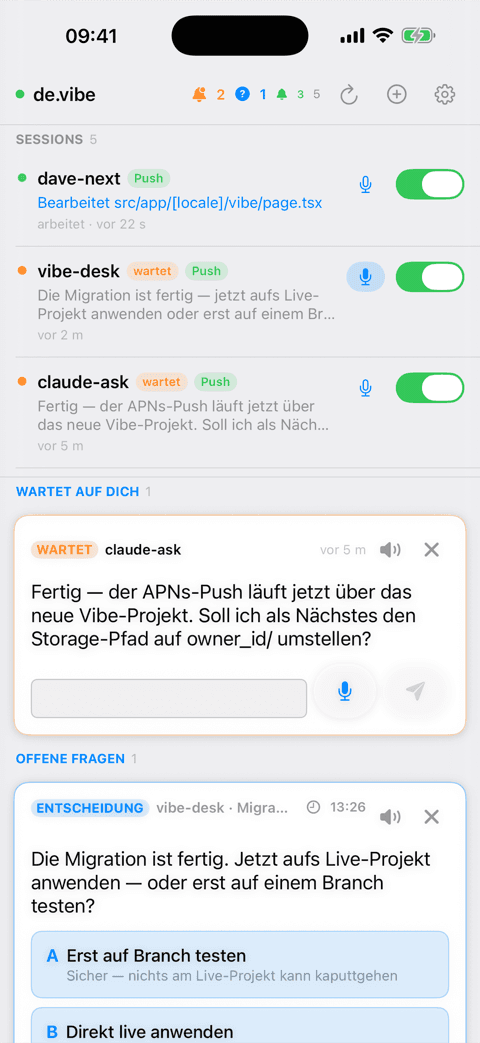
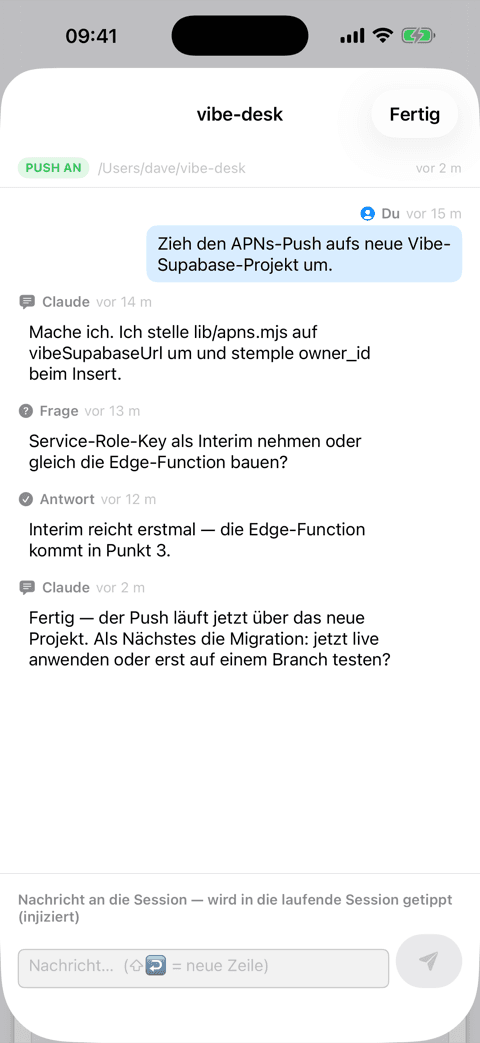
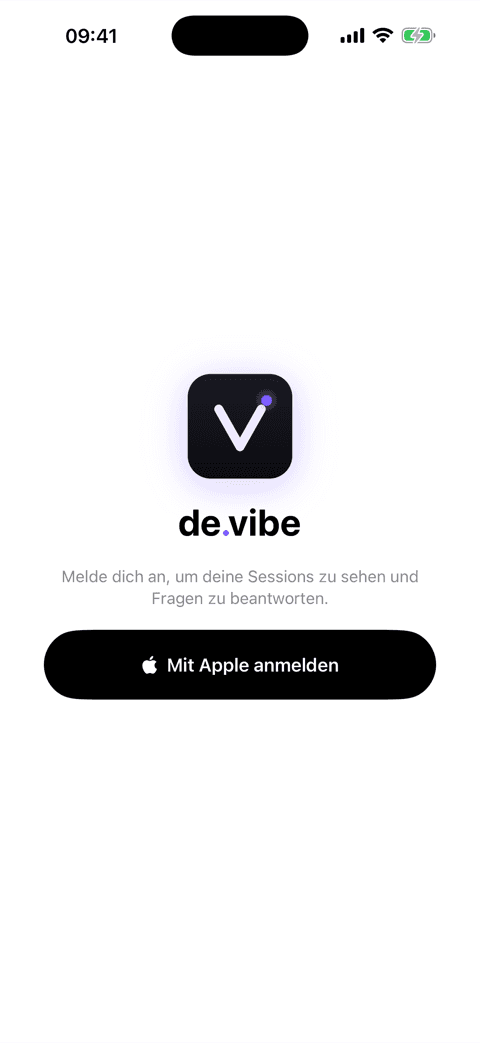
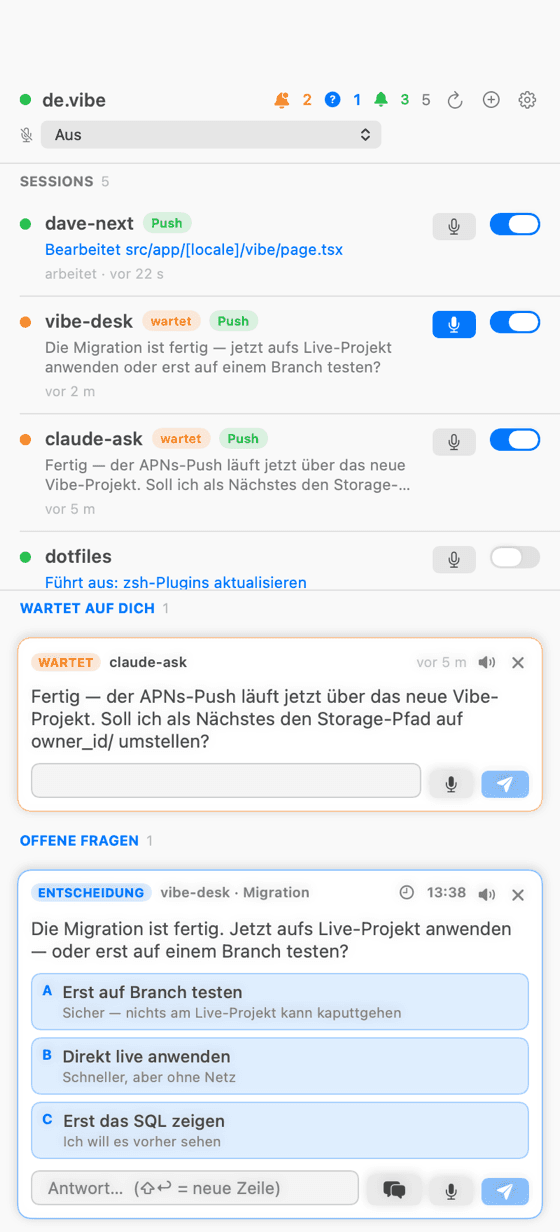
VibeDesk – the Mac panel shows all sessions centrally at your desk.
What Vibe does
Decision questions (A/B/C)
Claude asks you a real question with options — not just „done“. You tap an option, on your phone, your watch or the desk panel.
Free text & voice
No matching option? Answer in free text — or dictate it. Your spoken prompt is transcribed and injected into the session.
Desk panel on the Mac
VibeDesk shows all running sessions in a floating window + menu bar — with live status (working / waiting) and answer them centrally.
Answer injection
Your answer is typed straight into the live session as a new prompt (via the VS Code extension). The session continues — no clone, no restart.
Native push
Real iOS push notifications (APNs). Toggle per session: buzz your phone, or silent in the panel only.
EU-hosted & private
Your own account, owner-isolated data (Row Level Security), hosted in the EU. No tracking. Sign in with Apple.
How it works
- 1
Claude asks
Mid-task, Claude calls the `vibe_ask` tool — with your question and 2–3 options (or open for free text).
- 2
You get pinged
The question appears instantly in the desk panel and — if enabled — as a push on your iPhone and watch. The session waits patiently.
- 3
You answer
Tap an option, type free text or dictate — from anywhere. First answer wins (phone or terminal).
- 4
Claude continues
Your answer is injected into the live session. Claude reads it as the next prompt and keeps going — as if you never left.
Installation
Vibe consists of the MCP tool + hooks (on your machine), the VS Code extension (for answer injection) and the apps (Mac & iPhone). During the beta, onboarding works like this:
Setup in 2 minutes
- App + token
npx @davedinapoli/vibe init- VS Code extension
- VibeDesk (Mac)
- 1
Get the app & sign in
Install VibeRemote (iPhone, via TestFlight) and sign in with „Sign in with Apple“ — this creates your account.
- 2
Get your Vibe token
In the app, under Settings → „Connect your computer“, you get your personal token (vibe_sk_…). Your machine needs it to attach questions to your account.
- 3
Set up MCP + hooks
One command sets up the MCP tool, the hooks and your token — the config is written to ~/.vibe/config.json:
npx @davedinapoli/vibe init- 4
Install the VS Code extension
The „Vibe Inject“ extension types your answers into the live session. Get it from the VS Code Marketplace or Open VSX (for Cursor, Windsurf, VSCodium). Or grab the .vsix file directly and install it with
code --install-extension vibe-inject.vsix. Requires VS Code or Cursor/Windsurf + macOS. - 5
Get VibeDesk (Mac)
The macOS panel shows all sessions and lets you answer centrally on the Mac. Download VibeDesk.dmg (notarized; unlocked during the beta).
Note: Vibe is in private beta — the npm package, extension and TestFlight are rolling out gradually. Sign up for the beta and I'll let you in.
Usage
Once it's running, you barely need to do anything day-to-day — Claude reaches out on its own. These commands give you extra control:
Claude asks on its own
On decisions Claude calls `vibe_ask`. You do nothing but answer — on your phone or at the desk.
/remote — push on/off
Controls per session whether questions push to your phone (loud) or stay silent in the panel.
/diktat — voice
Triggers listen mode: the dictation composer pops up on the chosen voice device, your spoken prompt is injected.
New session from the app
Start a new Claude session in a project folder from the app — Vibe opens the terminal and types the first prompt.
Also: `ask` answers a question right in the terminal, and `vibe_show` sends you a screenshot along with the question to your phone.
Join the beta
Vibe is in private beta right now. Sign up — I'll let you in and send you the setup steps.