

Takt Hub
Your Mac runs the sessions. You decide.
Takt Hub is the Mac app for Takt, made for people who work with Claude Code. It sees every running session, brings their questions to you, on your iPhone too, and ties the work to your tasks. What gets built, merged and shipped is up to you.
Beta· macOS · on request
What the Hub is
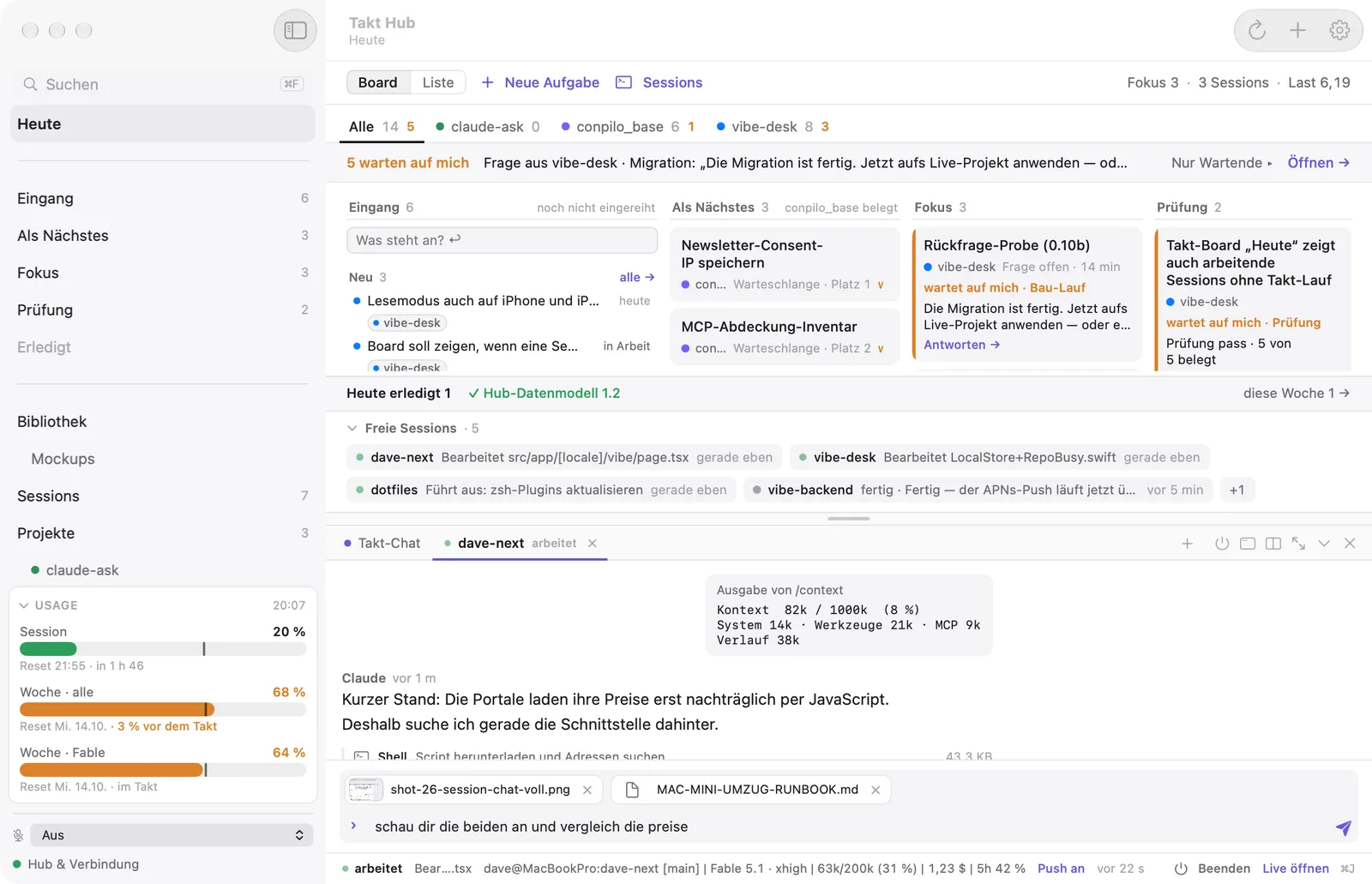
A Mac app. No server, no account.
Runs on your Mac
A native Mac app with its own database. Sessions and tools talk to it locally only; none of it is reachable from the network.
Through your iCloud
iPhone and iPad sync with the Mac through your private iCloud. There is no server of mine in between and no account.
Notifications from Apple
When a session needs you, the notification arrives through iCloud on your iPhone and watch. For each session you choose whether it may notify you.
The same Takt
Inbox, Up Next, Focus, Review, Done: the Hub shows your tasks just like Takt on the iPhone, with the sessions added.
Sessions
Every session at a glance.
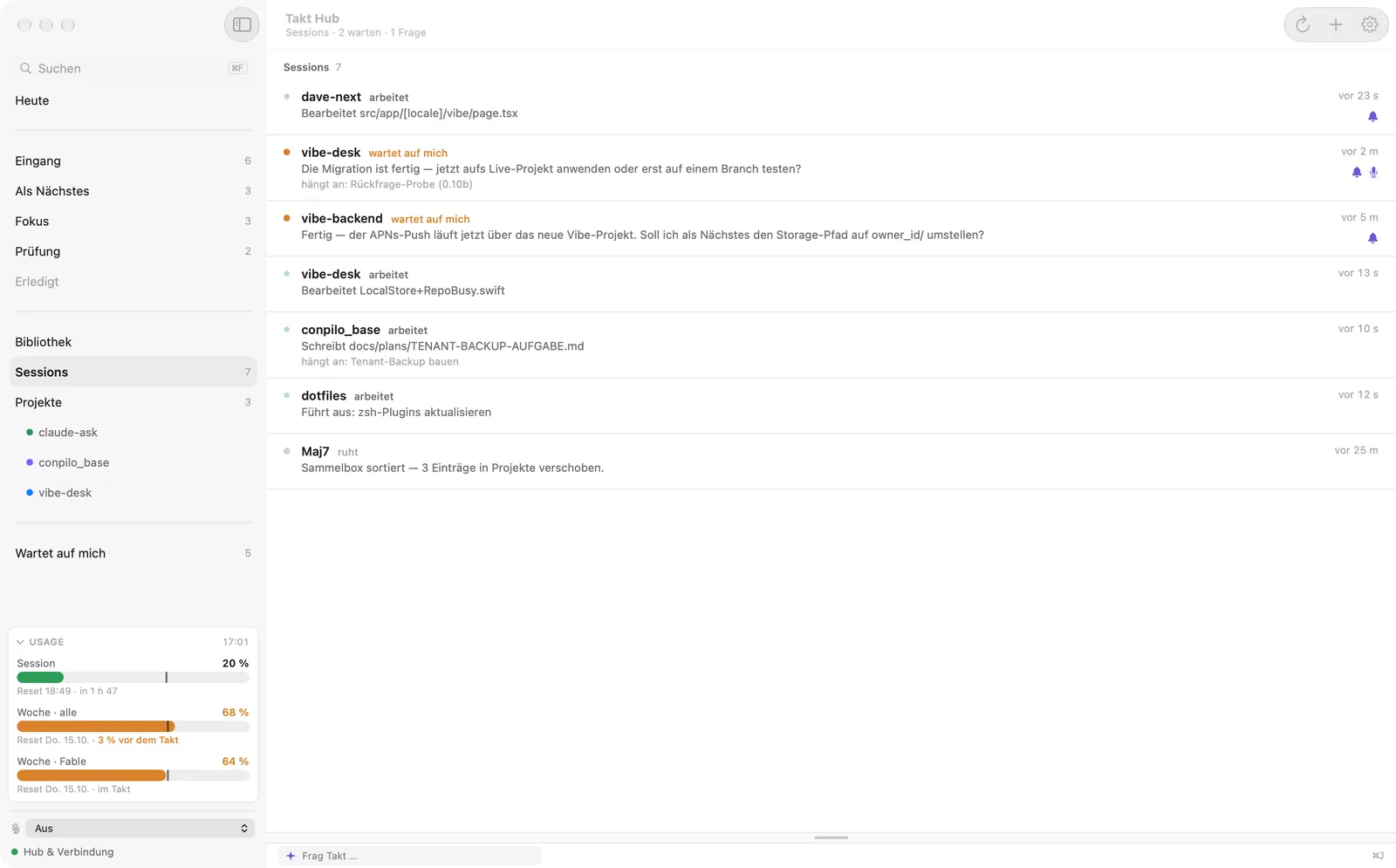
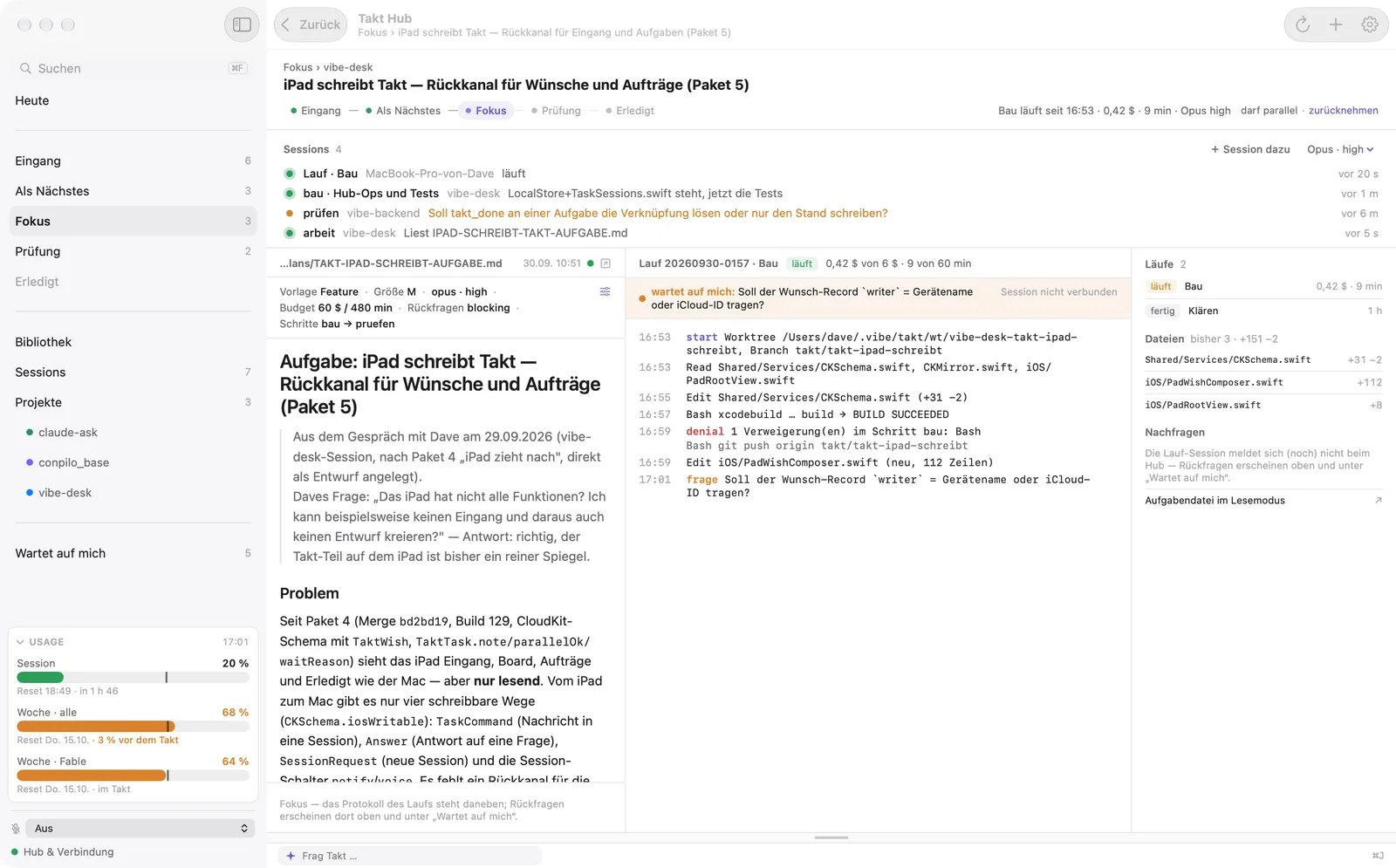
Every running Claude Code session shows up in the Hub, with its state as a dot and a word, what it is doing right now and the task it belongs to.
- working
- waiting on me
- idle
- Whatever is waiting for you sits at the top and under “Waiting on me”. On the iPhone, the Focus station lists the sessions too.
- Notifications on or off per session: muted sessions stay visible, they just don’t push.
Questions
Answer questions on the go.
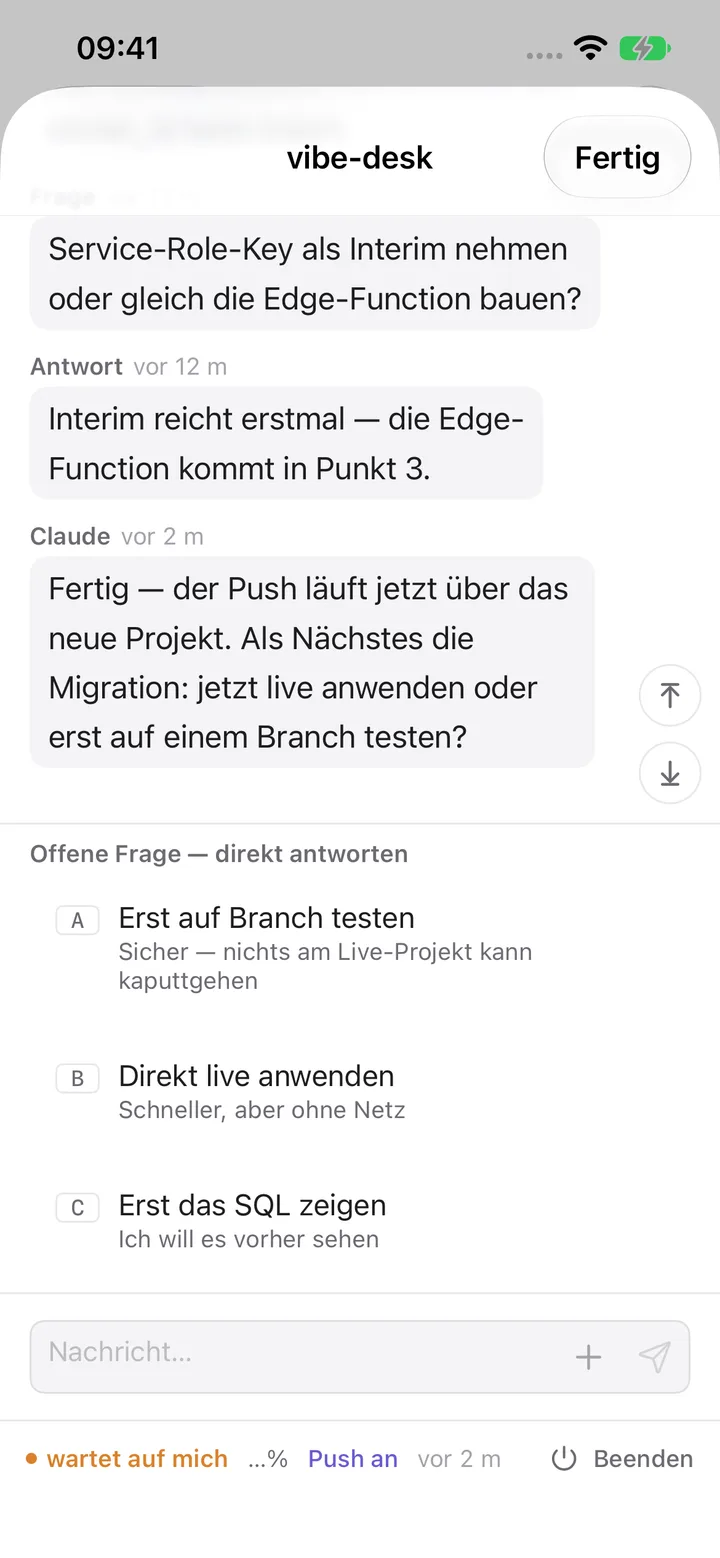
When a session needs a decision, it asks you with the tool vibe_ask: with options A, B, C or as an open question. The question reaches your iPhone, iPad and watch.
- The Hub types your answer into the session’s running terminal in under a second. A small VS Code extension finds the right terminal.
- The session doesn’t block while it waits. Answering at the Mac works just the same.
- Tapping the notification opens that session’s chat.
Chat
The whole chat, not just the question.
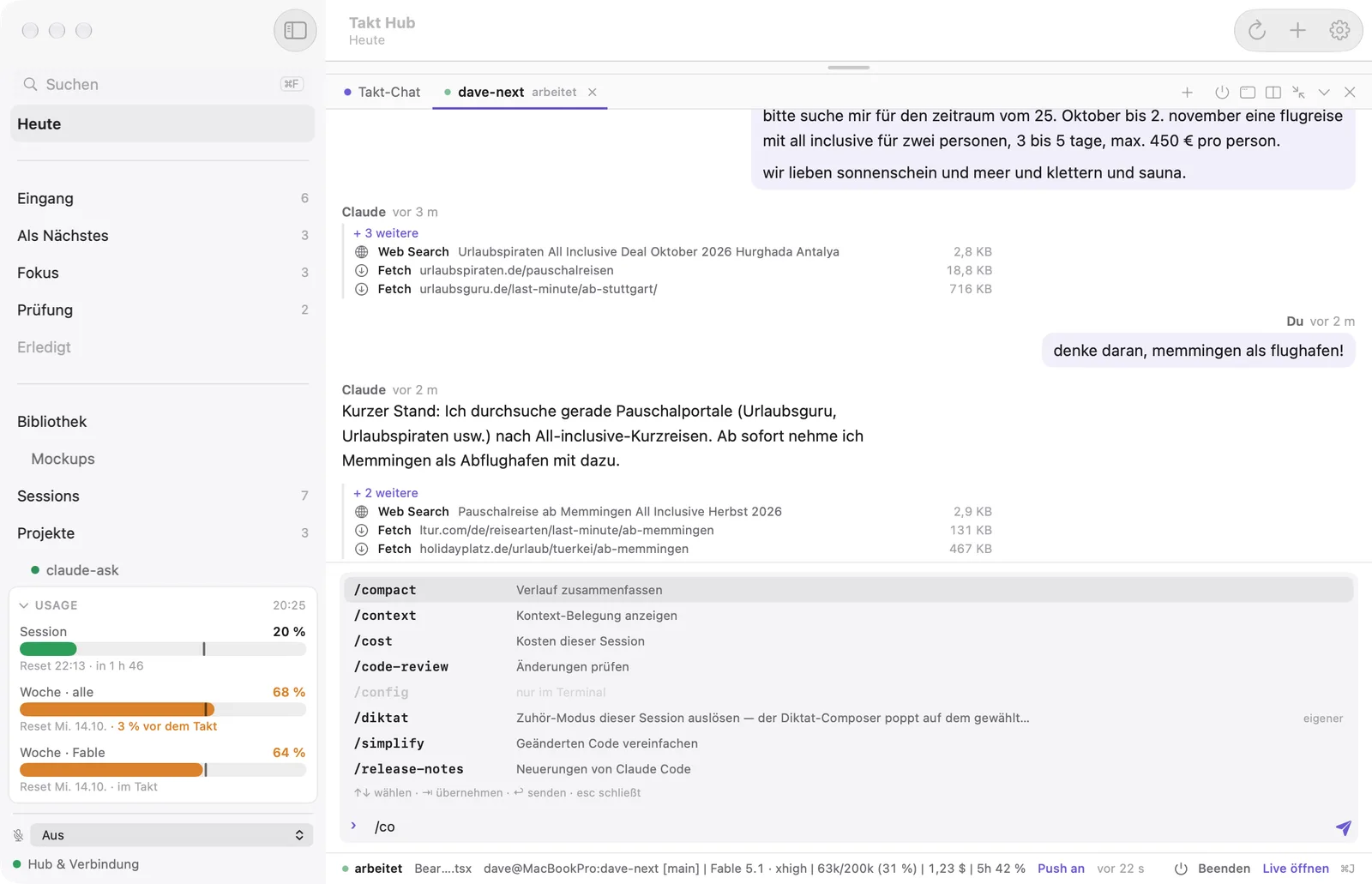
Read along with what the session says and does, and write to it directly. On the Mac, the iPad and the iPhone.
- Intermediate messages, tool calls as quiet blocks and the output of local commands such as /context.
- Attach files and images: drag or paste on the Mac, a photo or PDF on the iPhone.
- Slash commands with a list, including your own commands and skills.
- Chat at the bottom of the window or in its own window. After /clear, the chat follows the new session.
From the task
Start sessions from the task.
A task knows which project it belongs to and what goes with it. From there the Hub starts the right session in the terminal.
- “Plan” starts a planning session: it works out with you what to build and writes the plan into the task file.
- “Start session” or “+ Add session”, with model and effort to choose. The task’s read folders and documents come along.
- Before that, Takt checks the repo: if it is clean and just behind GitHub, it fast-forwards. Otherwise the first prompt carries a note.
- Sessions only start in folders the Hub knows. You can trigger them from your iPhone or iPad, too; the session then runs on the Mac.
Queue
Takt works through it. You sign off.
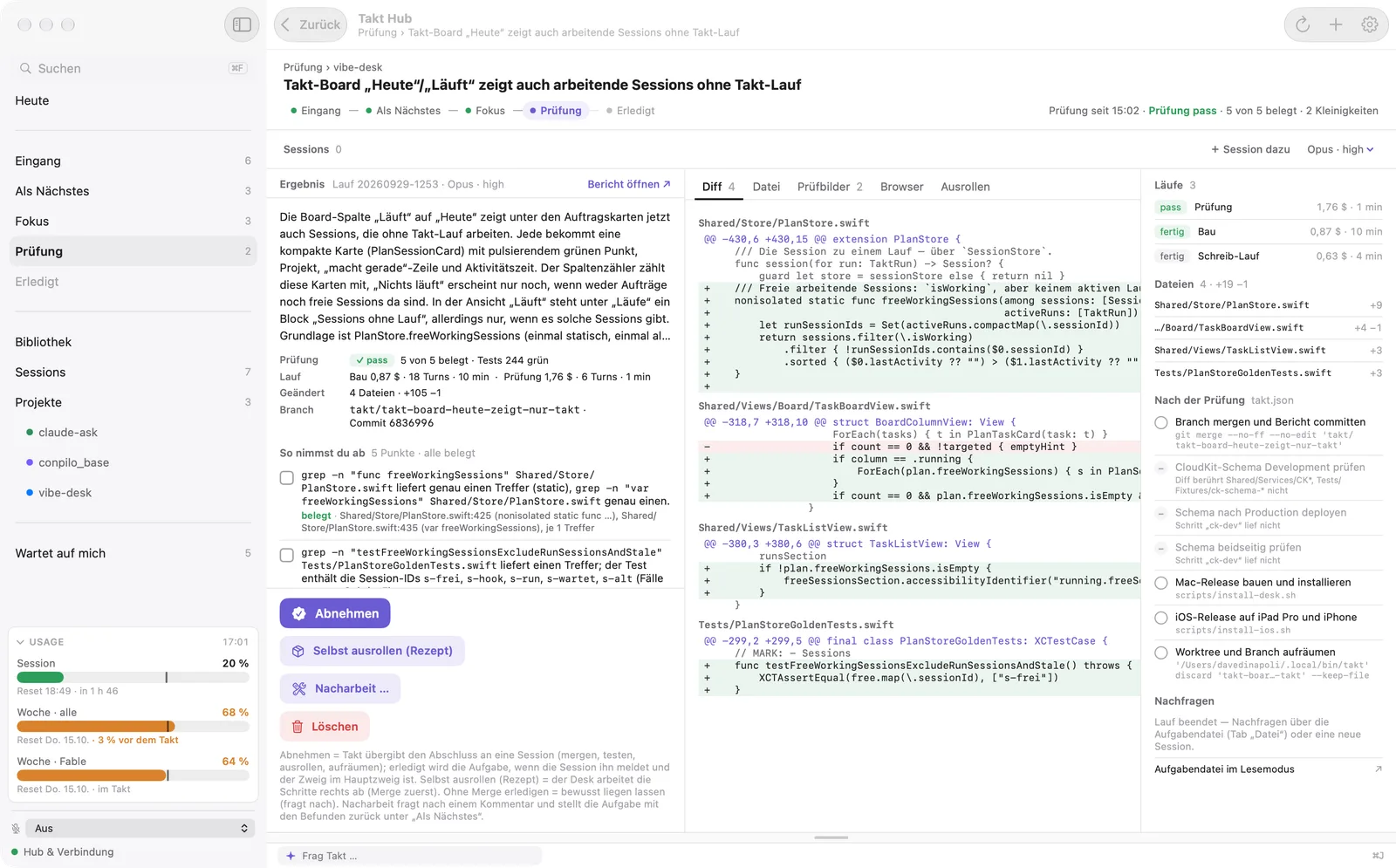
Tasks with a clear plan and acceptance points can go into the queue. Takt builds them one after another with Claude Code, without you sitting next to it.
- Every task gets its own worktree and branch. One runs per repo at a time.
- A separate run then checks the acceptance points. Review shows the report, the diff and screenshots.
- “Sign off” hands the merge to a session. The task only counts as done once its branch is in the main branch.
- Shipping by recipe: the steps live in the repo; the Hub works through them and stops at any error.
Usage
See how much is left.
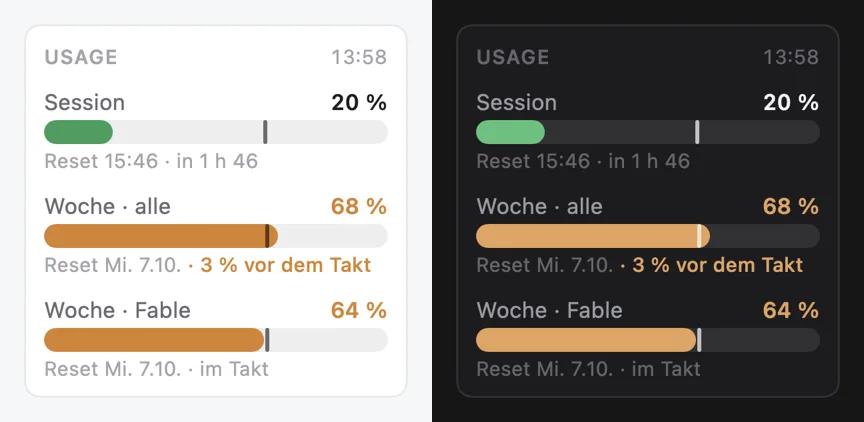
Your Claude account limits are always in view: the current five-hour session and the week, each as a percentage with the time it resets.
In the sidebar, the menu bar and on the iPhone. A tick shows how far the time window has run; orange means you are ahead of the pace.
Security
Careful by design.
- The Hub is only reachable on your Mac
- Sessions only start in known folders
- Commands from your iPhone expire after a short time
- Answers only come from your iCloud
Beta
Try Takt Hub.
The Hub is in private beta. I am adding people step by step who work with Claude Code every day.
On iPhone and iPad you use the Takt app. Without a Mac it works fully for your tasks; with the Hub, the sessions come along.